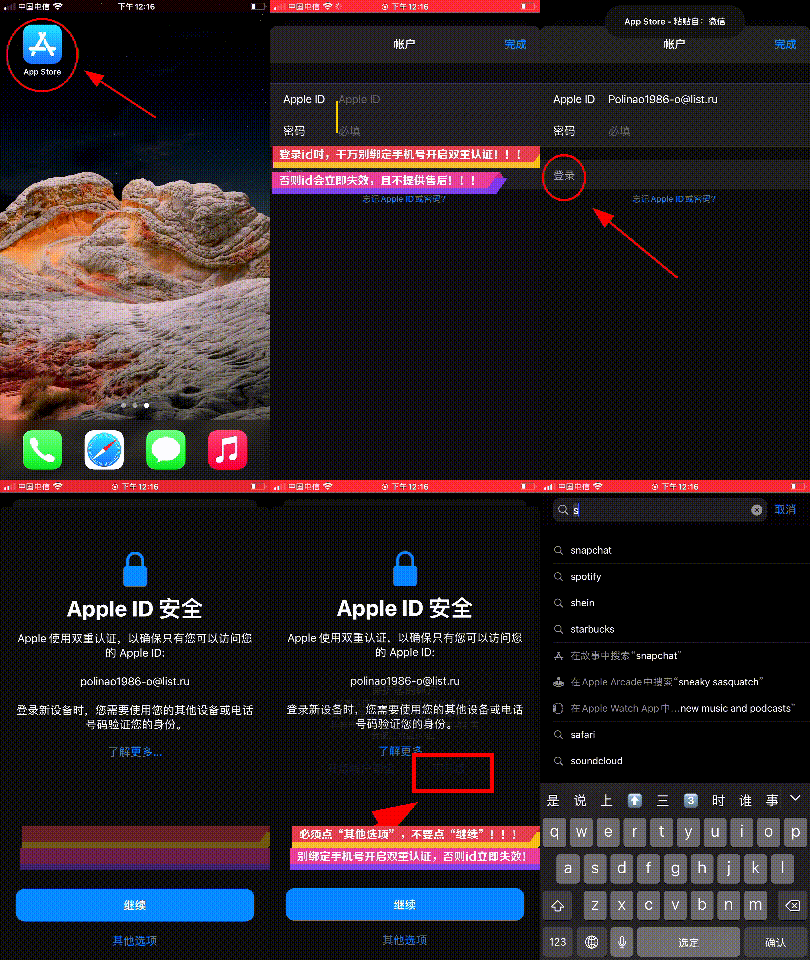
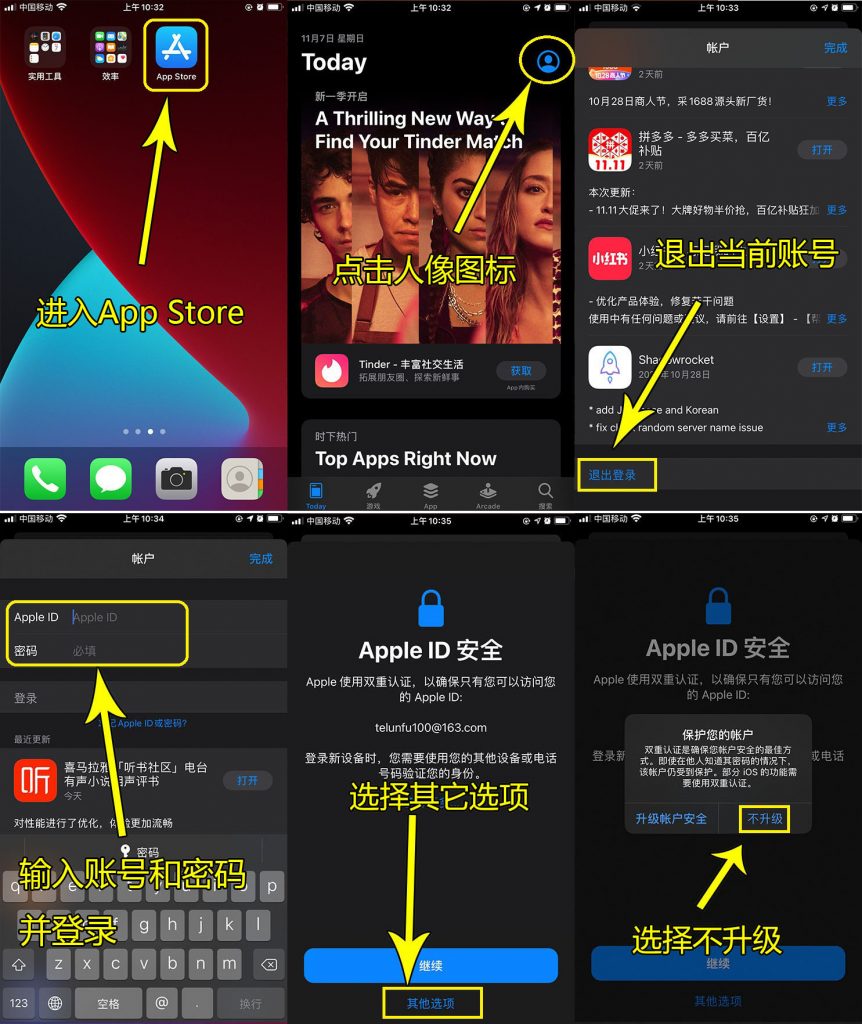
# Shadowrocket小火箭共享号登录AppStore下载App教程

## 购买地址

[【租借】Shadowrocket小火箭共享下载号,小火箭租用号（自动发货） | 文武科技资源](https://fk.wwkjs.top/buy/7)

## 注意

{% hint style="info" %}
由于系统的迭代更新和时间差异，教程和实际可能会有些出入，但是大同小异，请根据实际界面进行操作！

请注意，如果您是更新软件！

请注意，如果您是更新软件！

请注意，如果您是更新软件！

那使用的是帐号原来的ID，请卸载以后重新安装，注意软件数据保存！
{% endhint %}

## **登录操作流程动态图解**

<p align="center"><img src="https://appsir.shop/file/202209/e78cc8682aa46d7f80e9a0287a4aaa3a.gif" alt=""></p>

&#x20;

## &#x20;**登录操作流程平面图解**

### **第一步：读懂卡密**

<figure><img src="/files/hG7WLfS0F7Wxc3JQ1WvX" alt=""><figcaption></figcaption></figure>

在您自己的卡密&#x4E2D;**（请不要使用图中的卡密信息，那只是案例！）**，读出密码+密码，登陆商店仅需要这两个，密保问题在修改密码时候使用。

### **第二步：登陆商店**

<figure><img src="https://appsir.shop/file/202209/4a9c7e5aae674d1805794dadc8180097.jpg" alt=""><figcaption></figcaption></figure>

顺利的话，您就能正常使用拉！**登陆完成以后，最好重启一下应用商店以便刷新缓存**

## 常见问题

1. **更新出错？请先卸载软件再下载，注意保存数据**


---

# Agent Instructions: Querying This Documentation

If you need additional information that is not directly available in this page, you can query the documentation dynamically by asking a question.

Perform an HTTP GET request on the current page URL with the `ask` query parameter:

```
GET https://help.wwkejishe.top/shadowrocket/shadowrocket-share/login-appstore.md?ask=<question>
```

The question should be specific, self-contained, and written in natural language.
The response will contain a direct answer to the question and relevant excerpts and sources from the documentation.

Use this mechanism when the answer is not explicitly present in the current page, you need clarification or additional context, or you want to retrieve related documentation sections.